Running a WooCommerce store quickly turns into a long list of repetitive tasks. Invoices need to be generated and emailed, abandoned carts need to be chased, stock levels need to be monitored, product data needs to be pushed to shopping channels, and the whole site needs to be backed up in case something breaks. Done by hand, these jobs eat into the hours you could be spending on products, customers, and growth, and they leave room for the kind of small mistakes that cost sales and trust.
Automation is the antidote. With the right plugins, most day-to-day store operations can run quietly in the background, triggered by an order status, a schedule, or a customer action, with no manual effort required. The ten automations below cover the areas that matter most for a typical store, from order documentation and marketing to inventory, billing, data management, and backups. Each one is paired with a plugin that handles it well, mixing WebToffee’s WooCommerce suite with established third-party tools so you can build a complete, hands-off operation.
1. Automated Invoicing and Order Documents
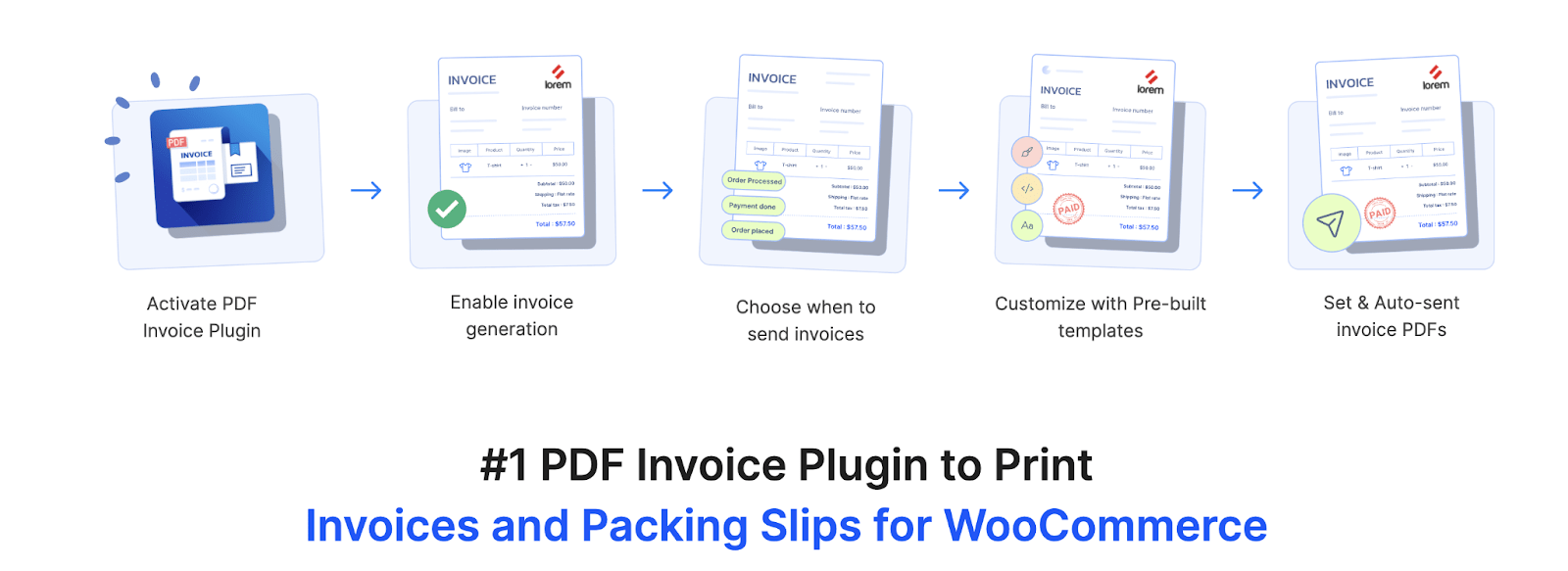
WooCommerce Invoice Plugin closes one of WooCommerce’s biggest gaps: out of the box, the platform does not generate downloadable PDF invoices or packing slips. With this plugin installed, an invoice, packing slip, delivery note, shipping label, or credit note can be generated automatically when an order reaches the status you choose, and the document is attached to the customer’s order confirmation email. That means buyers receive their paperwork instantly, and you never have to open an order just to send a receipt.
Beyond auto-generation, the plugin gives you a drag-and-drop editor to brand and customize every document, bulk download and print options from the Orders page, and support for UBL and XML e-invoicing formats required in many regions. You can also set up proforma invoices, picklists, and sequential invoice numbering for tax compliance. For a store processing dozens or hundreds of orders a day, automating order documentation is usually the single highest-impact change you can make to reduce admin time.
2. Order Follow-ups and Marketing Workflows
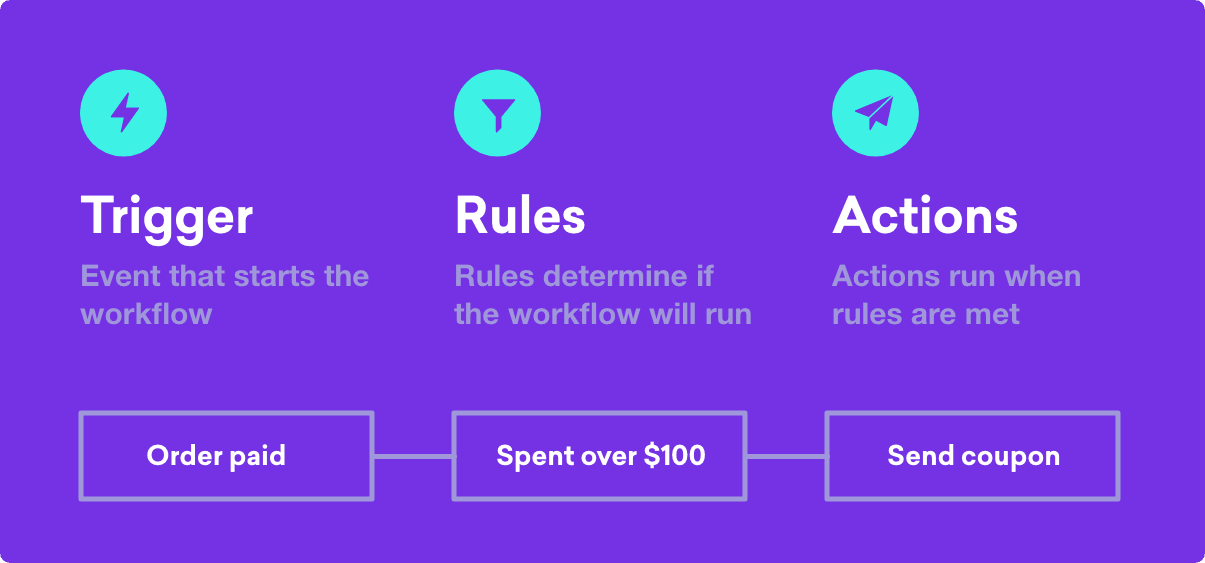
AutomateWoo, built by the Woo team, is a marketing-automation engine that runs on Workflows made up of triggers, rules, and actions. Once a workflow is active, it works in the background: recovering abandoned carts with timed reminder emails, sending follow-up messages after purchase, requesting product reviews, winning back customers who have gone quiet, and even warning shoppers before a saved card expires so subscription payments do not fail.
AutomateWoo integrates tightly with WooCommerce Subscriptions and Bookings, supports SMS through Twilio, and can generate personalized one-time coupons, assign VIP status based on spend, and power a refer-a-friend program through add-ons. Because everything is rule-driven, you set the conditions once and let the plugin handle the timing and personalization for each customer, making it a natural backbone for re-engagement and retention.
3. Email Campaigns, Popups, and Cart Recovery
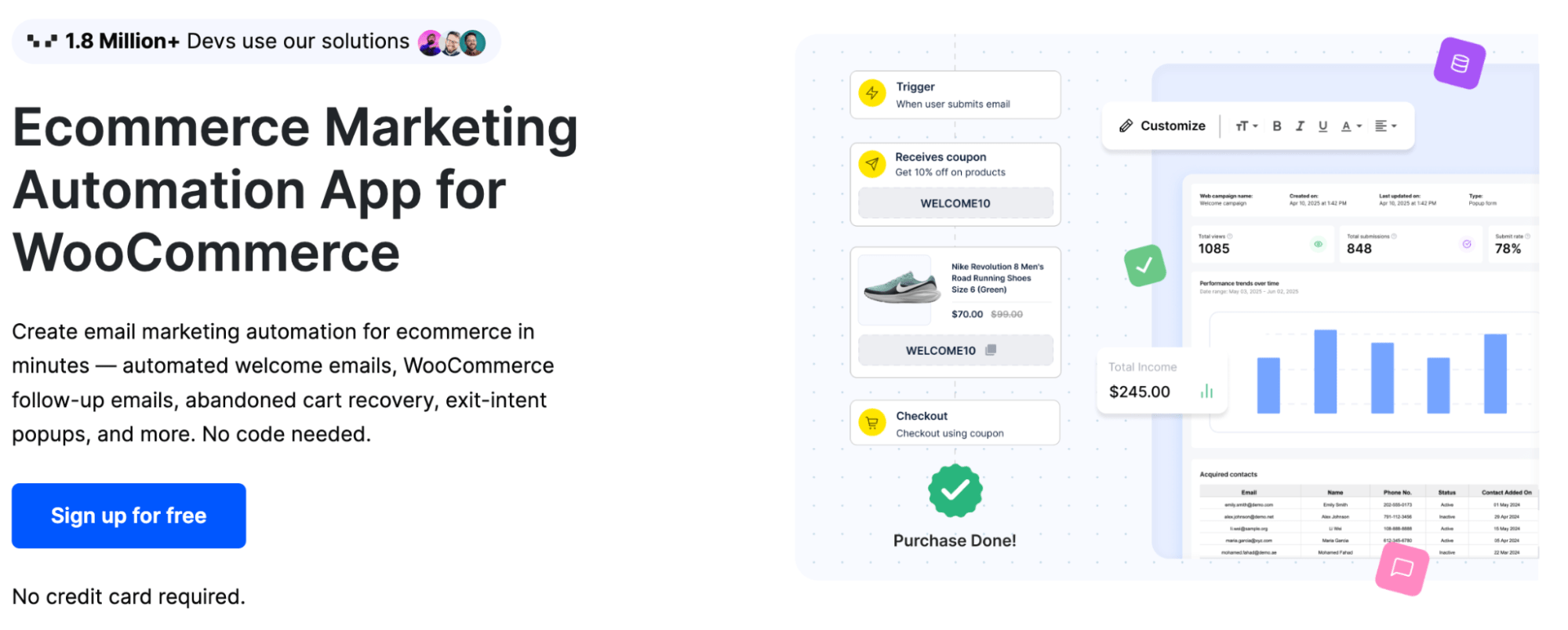
Ecommerce Marketing Automation is WebToffee’s all-in-one answer for stores that want their marketing automation to live inside the same ecosystem as the rest of their plugins. It lets you set up automated email campaigns, dynamic popups, sign-up forms, abandoned cart recovery, fortune-wheel campaigns, and upsell or cross-sell offers, all without writing any code. Triggers fire on customer behavior, so a welcome series, a cart reminder, or a post-purchase flow can run automatically from the moment a visitor interacts with your store.
Because it bundles capture, segmentation, and automated messaging into a single tool, it removes the need to stitch together separate popup, email, and recovery plugins. For owners who already rely on WebToffee’s suite for invoicing, feeds, or coupons, keeping marketing automation under the same roof simplifies setup and support while still covering the core flows that drive repeat revenue.
4. Inventory Tracking and Stock Control
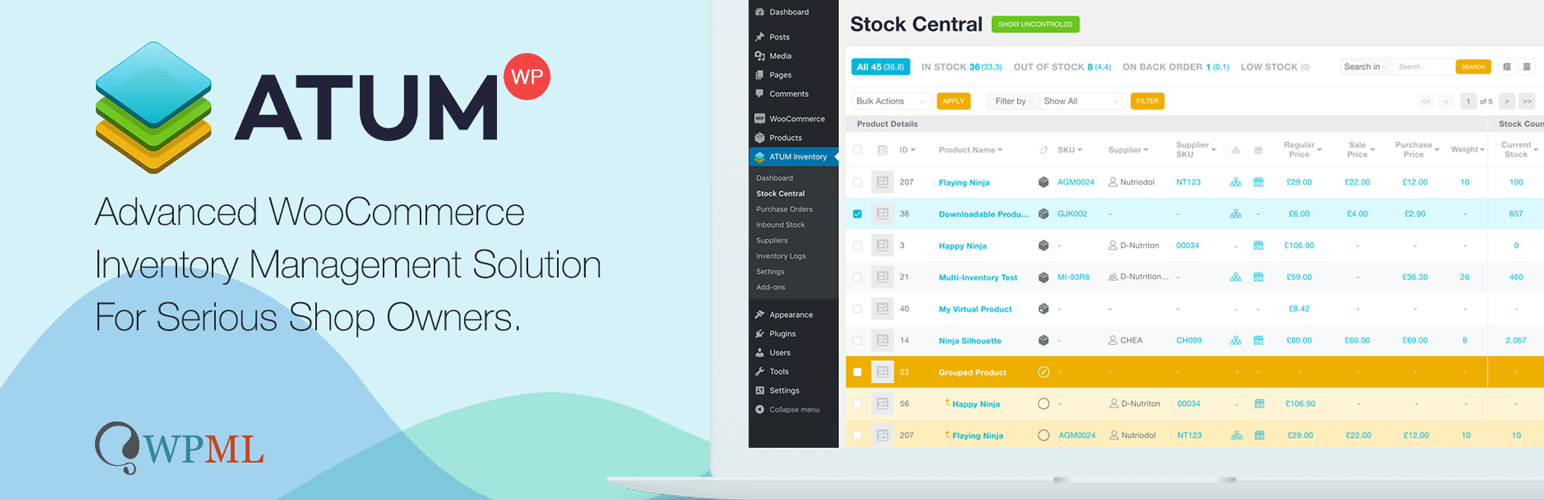
ATUM Inventory Management turns WooCommerce’s basic stock fields into a full inventory command center. Its Stock Central dashboard lets you quick-edit stock, SKUs, suppliers, locations, weights, and prices in bulk from a single screen, while inbound-stock tracking and purchase orders keep incoming inventory visible. Sales, lost-sales, and stock-level statistics give you an at-a-glance view of what is moving and what is about to run out.
The plugin automates the parts of inventory work that are easy to forget: low-stock visibility so you reorder before selling out, purchase-order management for restocking, and automated inventory data exports in the premium tiers. For stores carrying real product catalogs, this kind of stock automation prevents both overselling and dead capital tied up in the wrong items, protecting margins without constant manual checking.
5. Automated Product Feeds for Shopping Channels
Product Feed Pro for WooCommerce automates one of the most tedious marketing jobs: keeping your product data in sync with external shopping platforms. The plugin generates optimized feeds for Google Shopping, Facebook and Instagram Shops, TikTok, Pinterest, and 25-plus other channels, mapping your WooCommerce product attributes to each channel’s required fields so listings appear correctly wherever you sell.
The real time-saver is scheduled auto-refresh: using server and WordPress cron jobs, the plugin updates your feeds on a daily, weekly, or monthly cycle, so price, stock, and product changes flow to every channel without you having to regenerate anything. Category mapping, custom fields such as GTIN and MPN, advanced filtering to include or exclude products, and multi-currency and multilingual support round it out, making it a set-and-forget bridge between your store and the platforms where customers discover products. The free version is suitable for smaller WooCommerce stores that need to generate essential XML or CSV product feeds for channels like Google Shopping and Facebook, without the advanced filtering, multi-currency, and scheduling features of the premium plan.
6. Recurring Billing and Subscription Management

WooCommerce Subscriptions, the official Woo extension, lets you sell products and services on a recurring basis with simple or variable subscription products that behave much like regular WooCommerce products. Once a customer subscribes, the plugin handles automatic recurring billing, renewal orders, and a self-service area where subscribers can manage or pause their plans, turning one-time buyers into a predictable revenue stream.
Automation extends to the awkward edges of recurring revenue: failed-payment retries and dunning, automatic status changes, and renewal handling all run without intervention. Paired with a marketing-automation tool such as AutomateWoo, you can layer on renewal reminders and card-expiry notices to reduce churn, so the subscription engine keeps collecting reliably while you focus on the product.
7. Automated Discounts, Coupons, and Promotions
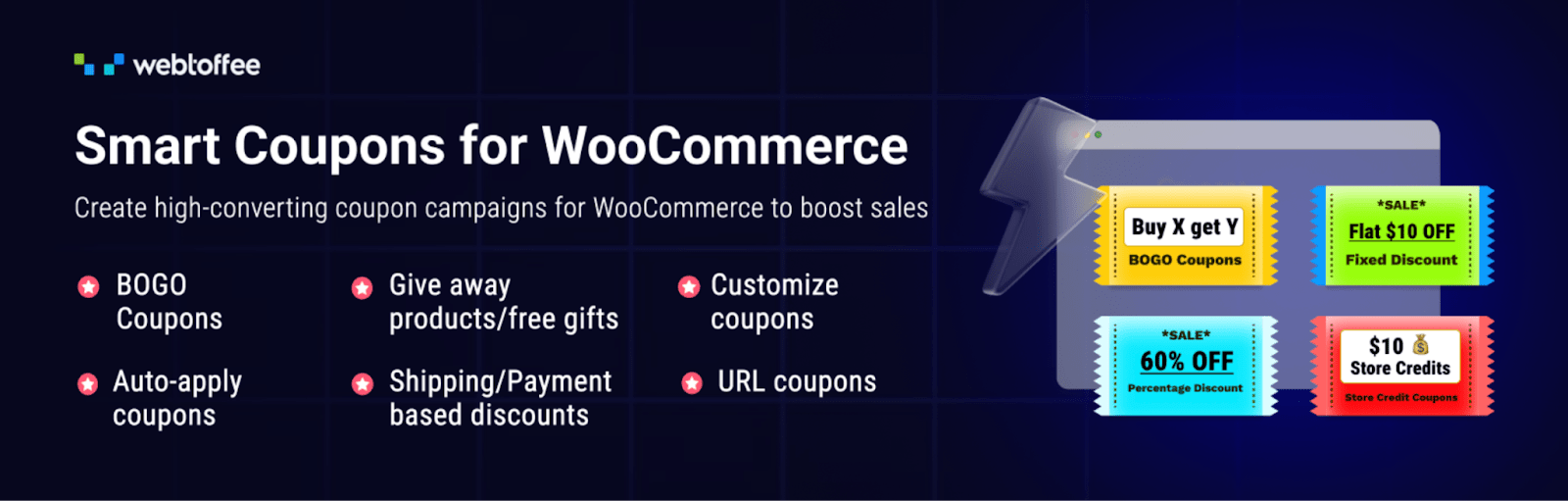
Smart Coupons extends WooCommerce’s limited coupon features, turning promotions into something you can schedule and automate. The plugin supports BOGO offers, giveaways, store credits, gift cards, and bulk coupon generation, and it can automatically apply coupons at the cart based on conditions you define, so the right discount lands without the customer needing to type a code.
You can schedule campaigns to start and end on set dates, issue sign-up or giveaway coupons automatically, generate thousands of unique codes in bulk, and import or export coupon data for migrations and reporting. By automating both the creation and the application of discounts, the plugin keeps promotions running smoothly during sales periods while removing the manual setup that usually slows them down. The free version is suitable for stores that need core discounting — BOGO deals, auto-apply coupons, giveaway products, and basic usage restrictions — without the bulk code generation, scheduling, and import/export features reserved for the premium plan.
8. No-code Automation Across Your Apps
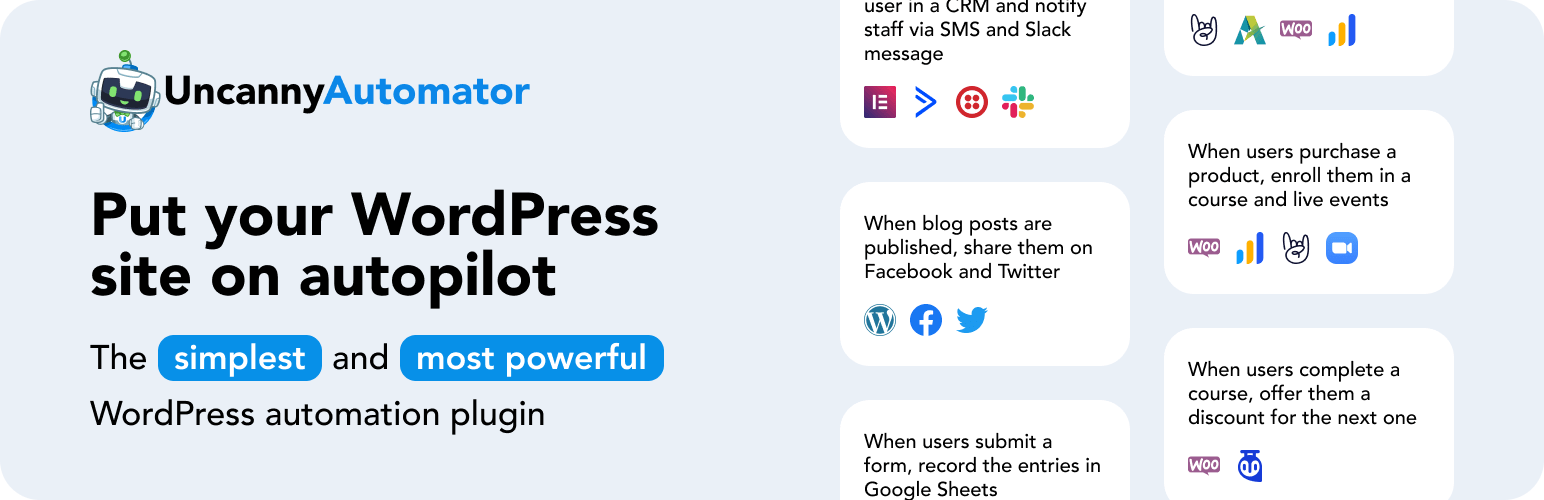
Uncanny Automator is often described as Zapier for WordPress, and it fills the gaps between your plugins with no code required. You build recipes from triggers and actions, so a WooCommerce purchase can automatically enroll a buyer in a course, add them to a membership level, send their details to Google Sheets, post a message to Slack, or tag them in an email platform, all from one place.
With support for outgoing webhooks, security headers, and a long list of native integrations, it connects your store to both other WordPress plugins and external services. For owners who want custom, cross-tool workflows without hiring a developer, Uncanny Automator is the glue that ties separate systems into one automated process triggered by real store activity.
9. Scheduled Data Import, Export, and Bulk Updates
Import Export Suite handles every major data type your store uses, including products, orders, coupons, subscriptions, customers, and reviews, via CSV, XML, TSV, and Excel files. Pre-saved templates store your filters, column mapping, file source, and scheduling preferences so a complex export or import can be replayed with a single click, rather than being rebuilt each time.
Its automation strengths are scheduled, recurring jobs and rule-based bulk updates: you can set the suite to import or export on a schedule via cron and FTP, and apply mathematical rules during import, such as raising every price by ten percent or adjusting stock across a catalog. Whether you are syncing data between stores or running weekly product updates, automating these data jobs eliminates one of the most error-prone parts of store maintenance.
10. Automated Backups and Site Protection

UpdraftPlus, installed on more than three million sites, automates the one task store owners most regret skipping: backups. It schedules automatic backups of both your files and your database and sends them to remote storage such as Dropbox, Google Drive, or Amazon S3, so a copy of your store always lives safely off the server.
You can run backups every few hours or on a daily, weekly, or monthly cycle, and restore the whole site in a few clicks if an update, hack, or server failure goes wrong. The premium version adds incremental backups and automatic backups taken right before updates, giving a busy WooCommerce store the kind of hands-off safety net that prevents a bad day from becoming a lost business.
Conclusion
Taken together, these ten automations cover the full operational backbone of a WooCommerce store: order documents, marketing and follow-ups, inventory, product feeds, recurring billing, promotions, cross-app workflows, data management, and backups. None of them require ongoing manual effort once configured, and each removes a recurring task that would otherwise compete with the work that actually grows your business.
You do not need to deploy all ten at once. Start with the automations that map to your biggest time sinks, often invoicing, abandoned-cart recovery, and backups, then layer in feeds, inventory, and data automation as you scale. By combining WebToffee’s WooCommerce suite with proven third-party tools, you can build a store that largely runs itself, freeing you to focus on products, customers, and growth rather than repetitive admin work.